
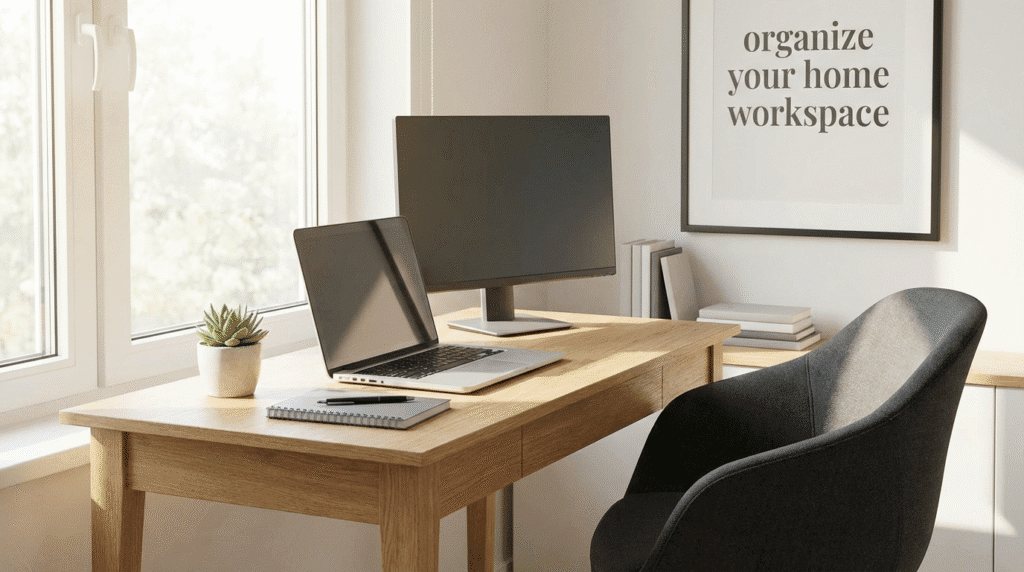
How to Organize Your Home Workspace for More Productivity
A cluttered, uncomfortable workspace doesn’t just look bad—it quietly drains your focus, energy, and motivation. The good news: you don’t need a fancy office or expensive tools to fix it. With some thoughtful organizing, even a small corner can become a productive, calm place to work.
Here’s a step‑by‑step guide to organizing your home workspace so you can get more done with less stress.
1. Start With a Clean Slate
Before you organize, you need to see what you’re working with.
Clear everything off
- Remove everything from your desk: papers, gadgets, mugs, cables.
- Wipe down the surface, monitor, keyboard, and chair.
- Vacuum or sweep under and around your desk.
Sort items into 3 groups
As you remove things, sort them into:
- Keep at desk – used daily (laptop, keyboard, notebook, pen, phone).
- Store nearby – used weekly (reference books, extra cables, stationery).
- Remove – rarely used, broken, or unrelated items (old receipts, random tools, snacks).
Only what genuinely supports your work should live on or immediately around your desk.
2. Define Your Workspace (Even If It’s Tiny)
If you work from a corner of a bedroom or living room, clear physical boundaries help your brain switch into “work mode.”
Options to create separation:
- Use a small rug under your desk to visually mark your “office zone.”
- Place a bookshelf, screen, or plant as a soft divider from the rest of the room.
- Use a folding table that’s only set up during work hours if space is tight.
- Keep a “work basket” or box for laptop, notebook, and tools—open it when you start, pack it away when you finish.
The clearer the boundary between “work area” and “home area,” the easier it is to focus.
3. Set Up an Ergonomic Layout
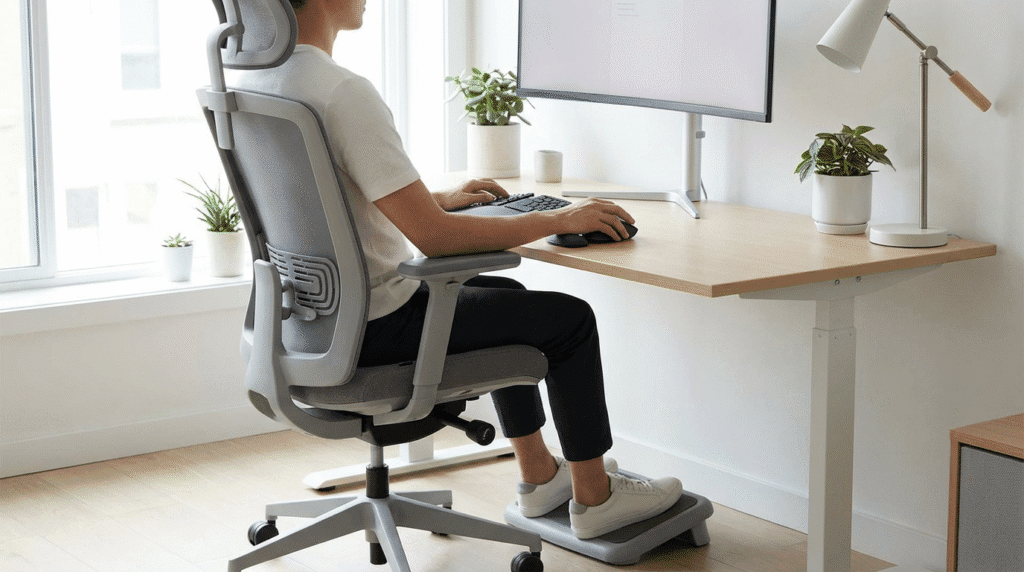
Organization isn’t just about where things go; it’s also about how your body feels while you work.
Basic ergonomic checks:
- Chair:
- Feet flat on the floor (use a box/footrest if needed).
- Knees at roughly 90 degrees.
- Back supported—add a cushion or rolled towel if your chair lacks lumbar support.
- Desk height:
- Forearms roughly parallel to the floor when typing.
- Shoulders relaxed, not hunched.
- Screen position:
- Top of the screen roughly at eye level.
- Screen about an arm’s length away.
- If using a laptop, consider a laptop stand plus external keyboard and mouse.
A comfortable setup reduces fatigue and makes it easier to stay productive for longer stretches.
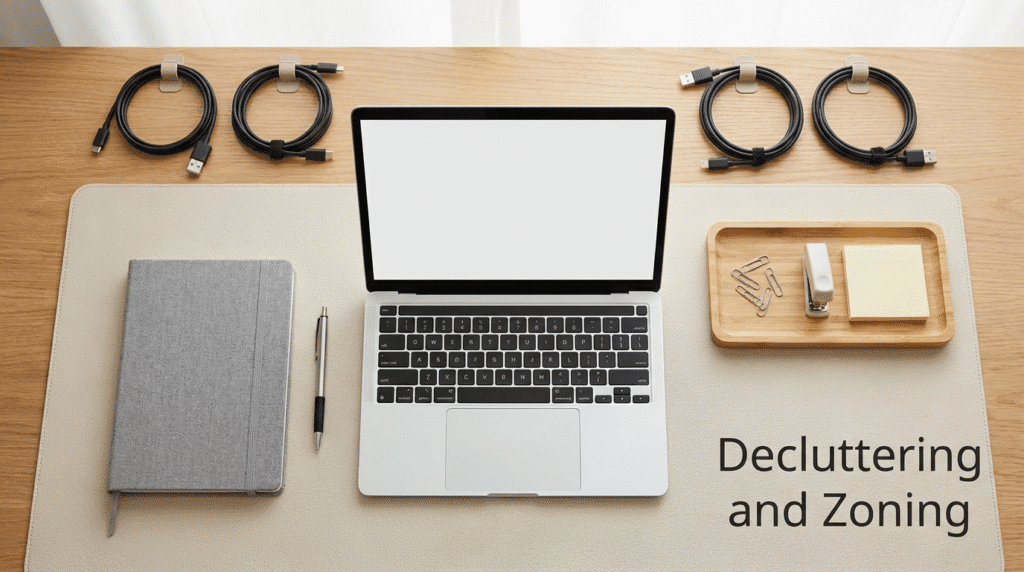
4. Create “Zones” on and Around Your Desk
Think of your workspace like a kitchen: different areas for different tasks. This keeps clutter from spreading everywhere.
Core zones to set up:
- Primary work zone (directly in front of you)
- Laptop/monitor, keyboard, mouse.
- One notebook or pad.
- One pen or pencil.
- Reference zone (side or back of desk)
- Docking station, stand for your phone or tablet.
- Frequently used book, planner, or notes stand.
- A small container for essentials (paper clips, sticky notes).
- Storage zone (drawers, shelf, or wall)
- Files, documents, infrequently used gadgets.
- Charging station for devices.
- Boxes/bins for cables and supplies.
Everything you touch daily should be within easy reach without twisting or stretching. Everything else can live a little further away.
5. Tame Cables and Chargers
Cables can turn even a neat desk into visual chaos. A few simple tools make a huge difference.
Quick cable organization ideas:
- Use cable clips or binder clips on the desk edge to keep chargers from falling.
- Bundle long cables with Velcro straps or simple twist ties.
- Stick a small cable box or organizer under or behind the desk for power strips.
- Label charger ends with tape and a marker (e.g., “phone,” “tablet,” “laptop”).
A cable‑tamed desk looks cleaner and makes it easier to plug and unplug devices quickly.
6. Give Every Item a “Home”
Clutter returns when items don’t have a clear place to live. Decide where things go—and keep it simple.
Examples:
- Top drawer or desk caddy: pens, highlighters, sticky notes, paper clips.
- Small box or pouch: spare chargers, power banks, USB drives.
- File holder or magazine rack: notebooks, current project folders.
- Wall hooks or pegboard: headphones, cables, small tools.
If you often find random items lying on your desk, that’s your signal: they need a defined home.
7. Organize Your Digital Workspace Too
A messy desktop and scattered files can be just as distracting as physical clutter.
Clean up your digital space:
- Desktop:
- Move files into folders by category (Work, Personal, Ongoing, Archive).
- Keep only 5–10 actively used shortcuts or files visible.
- Downloads folder:
- Sort and move important files to proper folders.
- Delete old installers, duplicates, and temporary files.
- Browser:
- Close unused tabs at the end of each day.
- Use bookmarks folders like “Work,” “Research,” “To Read Later.”
- Remove distracting bookmarks from the bookmarks bar.
- Notifications:
- Turn off non-essential pop‑ups from social media and shopping sites.
- Keep only what helps you work (calendar alerts, meeting reminders).
A clean digital environment makes it easier to find what you need and stay on task.
8. Control Visual and Mental Distractions

Your workspace should help you focus, not constantly remind you of everything else in your life.
Reduce distractions:
- Face your desk away from high-traffic areas if possible.
- Avoid facing a TV or large window overlooking a busy street.
- Keep only 1–3 personal items on your desk:
- A small plant
- A photo
- One decorative object
If you share space with others:
- Use headphones to block noise.
- Have a simple signal (like headphones on or a small sign) to show when you’re focusing.
The goal is a calm, lightly personalized space—not a storage shelf for your entire life.
9. Build a Simple End-of-Day Reset Routine
Even the best-organized workspace will become messy without a habit to reset it.
5–10 minute daily reset:
Before you “leave” work (even if it’s just closing your laptop at home):
- Throw away trash (wrappers, old sticky notes, receipts).
- Return items to their “homes” (pens, notebooks, chargers).
- Wipe down your desk quickly with a cloth.
- Make a short list for tomorrow:
- Top 1–3 priorities.
- Any follow-up tasks.
This tiny ritual:
- Keeps clutter from building up.
- Makes it easier to start fresh the next morning.
- Trains your brain: when the desk is clear, work is done.
10. Adjust and Improve Over Time
Your ideal workspace will evolve as your work and tools change.
Every week or two, ask:
- What gets in my way or annoys me while working?
- What do I reach for most often that’s too far away?
- What is always on my desk but rarely used?
Make tiny adjustments:
- Move frequently used items closer.
- Store rarely used things further away.
- Remove one unnecessary item at a time.
Treat your workspace as a living system you refine, not a one-time project.
Quick Setup Checklist
Use this to organize your workspace today:
- Clear everything off the desk and clean the surface
- Define a clear work zone (rug, corner, partition, or table)
- Adjust chair, desk, and screen for comfort
- Create zones: primary work, reference, storage
- Tidy and label cables and chargers
- Give every item a “home” (drawer, box, hook, folder)
- Clean your digital desktop and browser
- Remove or reduce visual distractions
- Start a 5–10 minute end-of-day reset routine
Even if you only complete a few of these steps today, you’ll feel the difference in focus and energy almost immediately.

Nice! Thanks!
Thank you for complement
You are very welcomed!
Love how you break this down into zones. Productivity isn’t just about tools — it’s about reducing friction. A well-designed workspace removes micro-distractions the same way good workflows remove cognitive clutter.
Small changes compound fast.
What gets in my way or annoys me while working?
MENTAL FATIGUE SETS IN WHILE DOING IT.
What do I reach for most often that’s too far away?
PROPS TO COMFORT MY SEST
What is always on my desk but rarely used?
OLD SCHOOL ITEMS LIKE WHITEOUT PENCIL SHARPENER CLIPBOARDS
Any comments?